

ID Card Printing Templates & Project Resources
A well-prepared requirement makes an ID card project easier to plan, review and produce.
IDGen templates help schools, colleges, universities, companies, institutions, event organizers and other organizations organize the information and specifications required for their identification projects before production begins.
Use these resources to prepare your ID card data, photographs, card specifications, accessories, RFID requirements, event badges and IDGen Studio forms.
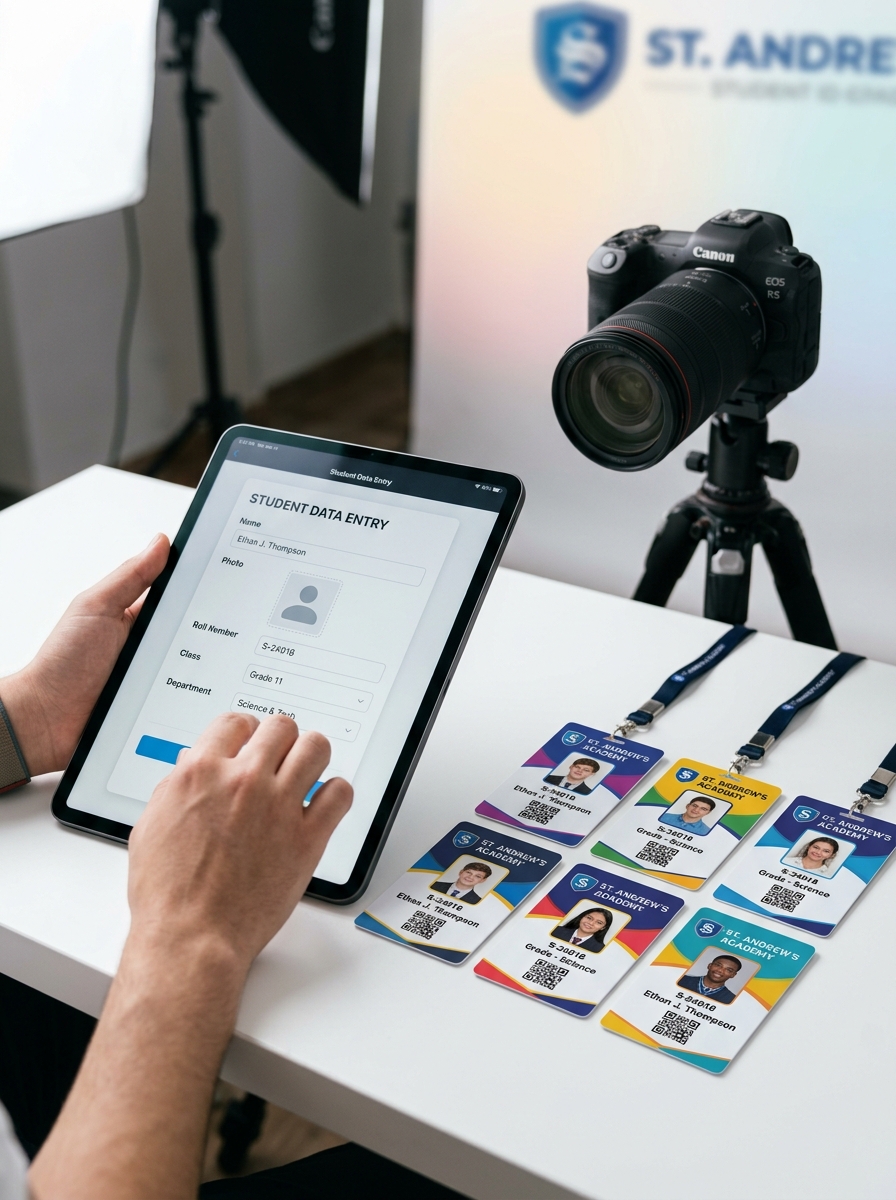
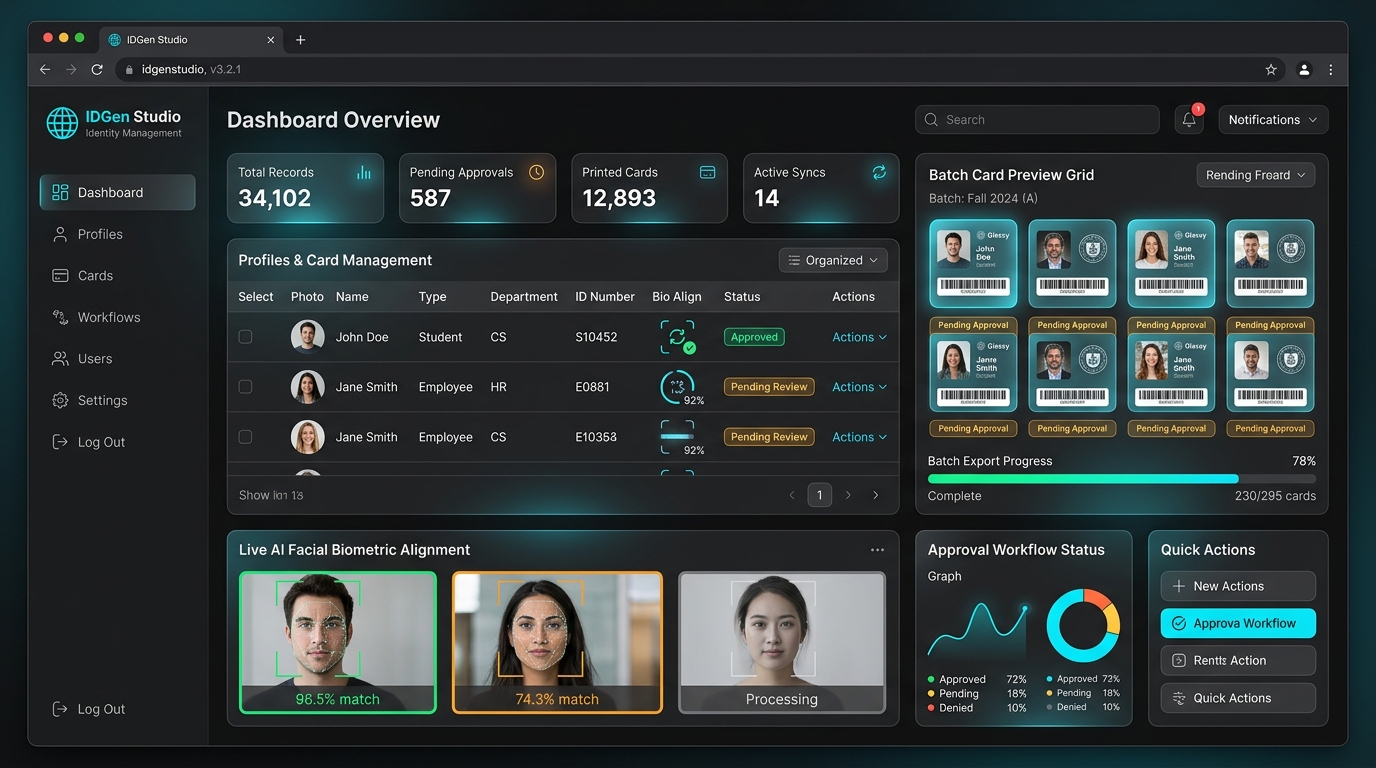
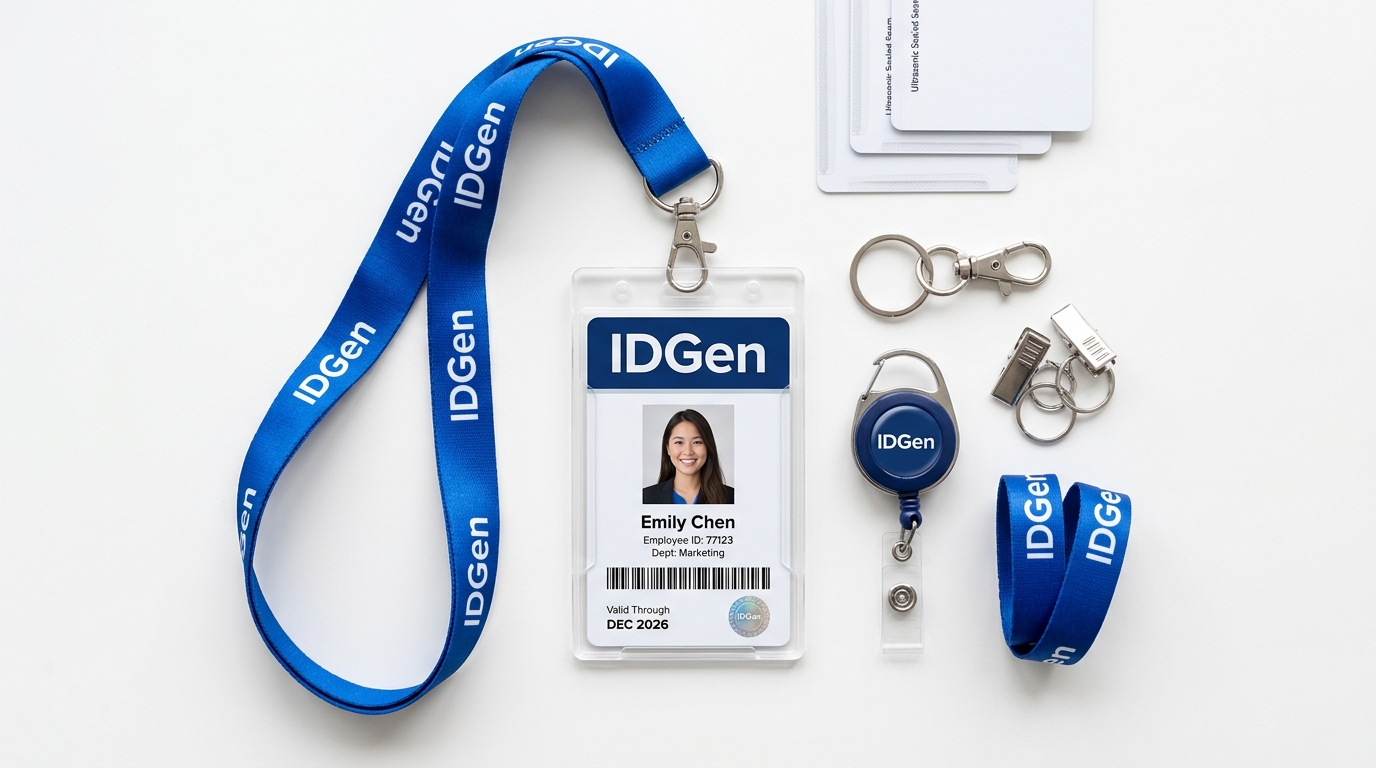
Student ID Card Data Template
Before starting a student ID card project, prepare the information that needs to be collected and printed.
| Field | Purpose |
|---|---|
| Student Name | Printed student name |
| Student ID / Admission Number | Identification number |
| Class | Current class |
| Section | Class section |
| Course | Course/program |
| Roll Number | Academic identification |
| Date of Birth | If required |
| Blood Group | If required |
| Parent Name | If required |
| Photograph | Student photograph |
| Institution | Organization name |
| QR Code Data | Optional |
| Barcode Data | Optional |
Recommended Field Types for Digital Collection
If the information will be collected through IDGen Studio, also define the appropriate field type.
| Information | Recommended Field Type | Example |
|---|---|---|
| Student Name | Short Text | Rahul Sharma |
| Admission Number | Alphanumeric | ADM20260045 |
| Class | Dropdown | Class 10 |
| Section | Dropdown | A |
| Roll Number | Numeric | 25 |
| Date of Birth | Date | 15/06/2012 |
| Blood Group | Dropdown | B+ |
| Parent Name | Short Text | Amit Sharma |
| Mobile Number | Mobile Number | 9876543210 |
| Photograph | Photo Upload | Student photo |
| QR Code Data | Text / Alphanumeric | Student ID |
| Barcode Data | Text / Alphanumeric | Admission Number |
Employee ID Card Data Template
Prepare the following information for employee and staff ID card projects.
| Field | Purpose |
|---|---|
| Employee Name | Printed employee name |
| Employee ID | Employee identification |
| Photograph | Employee photo |
| Designation | Job designation |
| Department | Department |
| Organization | Company/institution |
| Date of Joining | If required |
| Contact | If required |
| If required | |
| QR Code Data | Optional |
| Barcode Data | Optional |
Recommended IDGen Studio Field Types
Standard digital field formats for corporate and employee card forms.
| Information | Recommended Field Type | Example |
|---|---|---|
| Employee Name | Short Text | Amit Sharma |
| Employee ID | Alphanumeric | EMP20260125 |
| Department | Dropdown | Accounts |
| Designation | Short Text / Dropdown | Manager |
| Date of Joining | Date | 01/04/2026 |
| Mobile Number | Mobile Number | 9876543210 |
| amit@company.com | ||
| Photograph | Photo Upload | Employee photo |
| QR Code Data | Text / Alphanumeric | Employee ID |
| Barcode Data | Text / Alphanumeric | Employee ID |
IDGen Studio Form Planning Template
Plan Your Data Collection Before Creating the Form
If you are using IDGen Studio, don't only decide what information to collect. Also decide how each information field should be entered. A properly planned form can make data collection easier for students, parents, employees and other end users while helping organizations maintain consistent information.
Recommended Field Types
| Field Type | Suitable For | Example |
|---|---|---|
| Short Text | Names, departments, designations | Student Name |
| Long Text | Addresses, remarks | Residential Address |
| Numeric | Numbers only | Roll Number |
| Alphanumeric | Letters + numbers | Student ID / Employee ID |
| Email addresses | user@example.com | |
| Mobile Number | Mobile numbers | 9876543210 |
| Date | Dates | Date of Birth |
| Dropdown | One predefined option | Class / Blood Group |
| Multi-Select | Multiple predefined options | Activities |
| Radio Button | One selected option | Category |
| Checkbox | Confirmation / agreement | Declaration |
| Photo Upload | Identification photograph | Student Photo |
| File Upload | Supporting files/documents | Required Document |
| Address | Address information | Residential Address |
| QR Code Data | Data used for QR generation | Student ID / URL |
| Barcode Data | Data used for barcode generation | Employee ID |
| Custom Field | Organization-specific information | Campus / House |
Important: Only publish field types that are actually available in the current IDGen Studio implementation. If a field type is not yet supported, mark it as planned/coming soon or remove it from the public template.
How to Plan Each IDGen Studio Field
Before creating a form, define the following for every field:
What information is required?
Example: Student Name
How should the information be entered?
Example: Short Text
Does the user have to provide it?
Example: Required
Define the expected format where necessary
- • Student ID → Alphanumeric (ADM20260045)
- • Roll Number → Numeric (25)
- • Date of Birth → Date (15/06/2012)
- • Mobile Number → Mobile Number (9876543210)
Define available options for selection fields
Example: Blood Group → Dropdown: A+, A-, B+, B-, O+, O-, AB+, AB-
Identify how the collected data is used:
- • Appear on the ID card
- • Used to generate a QR code / barcode
- • Stored only in organization records
IDGen Studio Form Planning Worksheet
Organizations can prepare their requirements using this structure:
| Field Name | Field Type | Example / Format | Required? | Printed on Card? | QR/Barcode? | Notes |
|---|---|---|---|---|---|---|
| Student Name | Short Text | Rahul Sharma | Yes | Yes | No | — |
| Admission No. | Alphanumeric | ADM20260045 | Yes | Yes | Yes | Unique |
| Class | Dropdown | Class 10 | Yes | Yes | No | — |
| Section | Dropdown | A/B/C | Yes | Yes | No | — |
| Roll Number | Numeric | 25 | Yes | Yes | No | — |
| Photograph | Photo Upload | JPG/PNG | Yes | Yes | No | Required |
| Blood Group | Dropdown | B+ | Optional | Yes | No | — |
| Parent Name | Short Text | Amit Sharma | Optional | No | No | — |
This worksheet can help the organization and IDGen team understand the form requirements before the actual form is created.
Bulk ID Card Project Checklist
Before sending a bulk ID card requirement to IDGen, prepare:
ID Card Specification Template
Card Type: PVC / RFID / Event / Membership
Orientation: Portrait / Landscape
Printing: Single Side / Double Side
Personalization: Yes / No
Photo: Yes / No
QR Code: Yes / No
Barcode: Yes / No
Holder: Yes / No
Hook: Yes / No
Lanyard: Yes / No
Sealing: Yes / No
Quantity: [Specify count]
Required Delivery Date: [Date]
Additional Requirements: [Details]
Event Badge Planning Template
Event Name • Event Date • Venue • Expected Participants • Required Quantity
Delegate, Speaker, Organizer, VIP, Exhibitor, Staff, Volunteer, Other
Card Type: PVC / Event Badge | Orientation: Portrait / Landscape | Attachment: One Hook / Two Hooks | Lanyard: Standard / Custom | QR / Barcode | Sealing
RFID Requirement Template
Before requesting an RFID quotation, provide:
• RFID technology & Frequency
• Chip type & Reader/system model
• Existing card specification & Card format
• Personalization requirement & Quantity
• Application & Read/Write functionality
• Existing system/integration requirements
RFID requirements can vary significantly depending on the application, so confirm the required technology and system compatibility before production.
IDGen Studio Data Collection Planning
For projects using IDGen Studio, define the workflow before creating the form.
The detailed IDGen Studio workflow remains on /idgen-studio/. The Templates page is intended to help organizations prepare their requirements, rather than duplicate the complete IDGen Studio explanation.
Traditional Data File
Excel Columns → Data Entry → Photograph Matching → Final File
IDGen Studio Planning
Field Name → Field Type → Required/Optional → User Submission → Preview → Organization Review → Approval → Printing
IDGen Studio Example: Student Form
A school could structure its form as:
• Student Name → Short Text
• Admission Number → Alphanumeric
• Class → Dropdown
• Section → Dropdown
• Roll Number → Numeric
• Date of Birth → Date
• Blood Group → Dropdown
• Parent Name → Short Text
• Mobile Number → Mobile Number
• Photograph → Photo Upload
• QR Code Data → Student ID / Alphanumeric
Then: Form → Student/Parent Submission → ID Card Preview → Submit → School Review → Approval → Batch Printing
IDGen Studio Example: Employee Form
A company could structure its form as:
• Employee Name → Short Text
• Employee ID → Alphanumeric
• Department → Dropdown
• Designation → Short Text / Dropdown
• Date of Joining → Date
• Mobile Number → Mobile Number
• Email → Email
• Photograph → Photo Upload
• QR Code Data → Employee ID
Then: Form → Employee Submission → ID Card Preview → HR Review → Approval → Printing
IDGen Studio Form Testing Checklist
Before sharing the form with students, parents, employees or other users, test:
Quote Preparation Template
Before contacting IDGen, prepare:
Downloadable Project Resources
To make this page genuinely useful, IDGen provides downloadable templates that organizations can complete before requesting a quotation or starting a project.
Student ID Card Data Template
Employee ID Card Data Template
IDGen Studio Form Planning Template
Bulk ID Card Project Checklist
ID Card Specification Checklist
Event Badge Planning Template
RFID Requirement Checklist
Why Prepare Your Requirement Before Ordering?
A properly prepared requirement can help reduce:
It also helps IDGen understand your project more accurately before production begins.
Ready to Send Your Requirement?
Use the appropriate IDGen template to organize your project information before requesting a quotation.
IDGen Templates
Prepare Better. Collect Better. Print Better.
Plan → Collect → Review → Approve → Print
IDGen — Identity Solutions Simplified